
Features / Advertising Feature
The Ad Maker’s Format Guide: Resize for Facebook, TikTok, YouTube, and More
Ready to decode the dos, don’ts, and must-dos of resizing ad content? Let’s dive into a creative walkthrough AI ad generator that’ll keep your ads platform-proof.
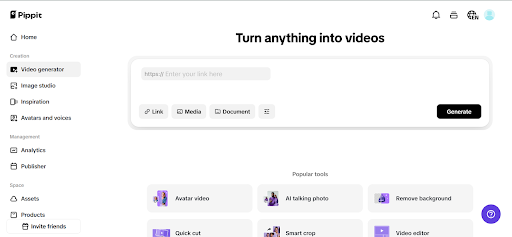
TikTok: the vertical vortex of vibes
TikTok is 9:16—vertical, fast, and unforgiving. If it doesn’t hook in 1.3 seconds, your viewer’s already gone.
Essentials for resizing
- Aspect ratio: 9:16 (mandatory)
- CTA position: Mid-frame or top third; bottom is often covered by captions or buttons
- Safe zone: Keep faces, text, and products centred and framed in the middle 60%
Cropping rules
- Don’t centre your shot too low—faces or hands get clipped by interface clutter.
- Do punch in with Smart Crop to make a single moment feel more intimate.
TikTok success is about framing action and emotion up close.
YouTube: the widescreen storyteller
YouTube is your home for high-res, horizontal storytelling. Viewers here expect polish and patience, but they also expect relevance in the first 5 seconds.
Essentials for resizing
- Aspect ratio: 16:9 (1080p or higher recommended)
- CTA position: Right side or at the end of the frame
- Safe zone: Avoid the bottom-left and bottom-right corners where watermarks may appear
Cropping rules
- Don’t add vertical video without a background fill—it looks lazy.
- Do add animated borders, or even split screens, to reformat vertical clips tastefully.
On YouTube, it’s all about expansiveness. Show wide context, tell richer stories—but trim the fat upfront.
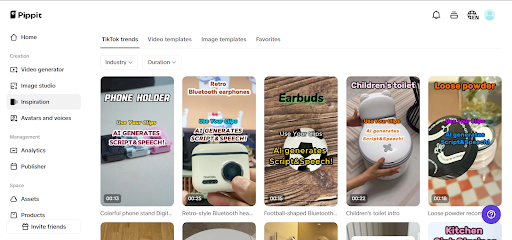
Instagram Feed: the square stage
Instagram is the square stage where aesthetics reign. Resizing here means curating your visual hierarchy—every pixel is judged like a painting.
Essentials for resizing
- Aspect ratio: 1:1 or 4:3
- CTA position: Upper half or dead centre
- Safe zone: Stay away from extreme edges, especially top/bottom
Cropping rules
- Don’t let text spill to the edges—it’ll get cut or blend into the scroll.
- Do layer minimal text with clean overlays. Think poster-style visual hierarchy.
Here, resizing is about elegance. Zoom in, centre your brand, and let design lead.
Instagram Reels: vertical but aesthetic
Reels and TikTok may share a format, but Reels leans more polished than raw. Audiences expect branded content with flair.
Essentials for resizing
- Aspect ratio: 9:16
- CTA position: Top third
- Safe zone: Avoid the bottom 20%—Instagram overlays are chunkier than TikTok’s
Cropping rules
- Don’t use low-res horizontal videos and stretch them—they’ll blur.
- Do a retouch with visual polish and brand stickers. Add overlays to guide attention.
Reels reward style + structure. If TikTok is the cool basement party, Reels is the rooftop brunch.
Facebook Feed: square still rules
While Facebook supports all formats, square (1:1) and vertical (4:5) perform best for scroll-stopping.
Essentials for resizing
- Aspect ratio: 1:1 or 4:5
- CTA position: Centre or above text blocks
- Safe zone: Allow space around edges for auto-cropping across devices
Cropping rules
- Don’t go landscape unless it’s an in-stream ad
- Do add catchy captions and bold visuals like geometric shapes or neon colours—many watch on mute
Facebook rewards clarity and instant value. Frame your product tightly and keep your hook for the first 3 seconds.
Stories (Instagram, Facebook, Snapchat): vertical, fleeting, crucial
Stories live for 24 hours (or until someone taps next), but their impact is instant. Resizing here means maximizing urgency.
Essentials for resizing
- Aspect ratio: 9:16
- CTA position: Lower third (but high enough to avoid “Send Message” or “Reply” bars)
- Safe zone: Frame tight—you’re competing with attention spans and DMs
Cropping rules
- Don’t stack too much text—it’ll get skipped
- Do make bold visual focus points: one product, one face, one message
For Stories, resizing means zooming in on what matters and eliminating the rest.
LinkedIn: wide, wise, and professional
LinkedIn may not be your go-to for casual ads, but B2B campaigns thrive here. Keep it clear, classy, and resize for desktop-first viewing using Pippit’s video resizer.
Essentials for resizing
- Aspect ratio: 16:9 or 1:1
- CTA position: After intro or as overlay
- Safe zone: Central alignment preferred
Cropping rules
- Don’t use loud captions or gimmicks—they reduce credibility
- Do use text overlays to highlight data or outcomes
Think of LinkedIn as your presentation room. Resize with professionalism, not pizzazz.
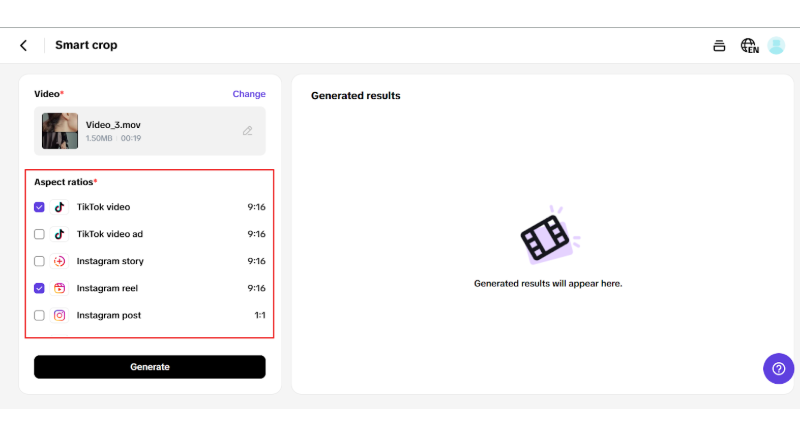
Repurpose smarter: format once, publish everywhere
If resizing for each platform feels like you’re editing the same video over and over, you’re not alone. This is where smart tools change the game.
With Pippit, you can upload a single master file and use platform-specific smart previews to reframe it for each format. It automatically suggests safe zones, crops using intelligent focus detection, and lets you export multiple versions—without starting from scratch.
Before you dive into the editing maze, check out Pippit’s ad generator. Pair resizing with dynamic voiceovers, avatar enhancements, and automated transitions that adapt your video tone to each platform—so your 16:9 explainer morphs into a 9:16 hype reel in seconds.
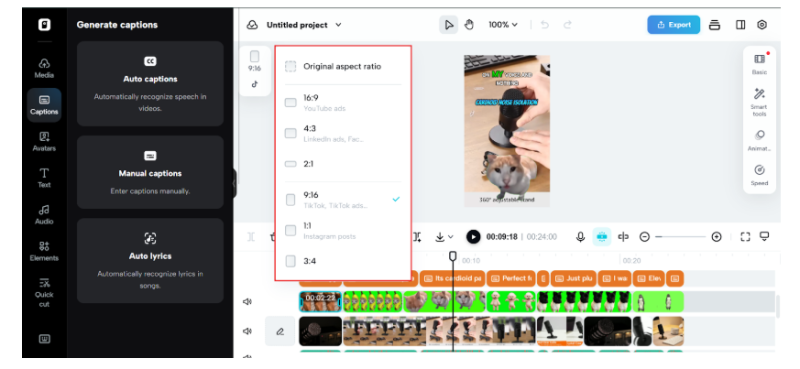
Publish everywhere with the confidence of a pro
Your ad doesn’t just need to be seen—it needs to fit. Every scroll, tap, and screen requires you to rethink how your message lands.
Pippit is the resizing ally every modern marketer needs. From automated smart cropping to format-specific tools, it helps you create once, then scale across channels with ease.
Ready to make one shoot work across every platform? Resize your video ads for free with Pippit and let every frame convert.
Main image by Mariia Shalabaieva on Unsplash
 Our newsletters emailed directly to you