Features / Advertising Feature
How to Offer Video Editing Services with Just CapCut Desktop Video Editor
Numerous individuals now desire to make money by providing video editing solutions. From smaller brands to YouTubers, the demand for quality videos is increasing. If you’re a beginner, making use of a tool like CapCut Desktop video editor will help simplify things significantly.
CapCut Desktop video editor provides you with all that you require to produce clean and professional videos. Its minimalistic design makes you work more quickly, even though you are an inexperienced editor.
Though CapCut Desktop video editor has numerous free features, certain advanced features only come with a paid subscription.
Here in this blog, you will find how to use this tool to begin your editing business and provide amazing output for your clients.
Why Use CapCut Desktop Video Editor for Video Editing Services
If you are a beginner in video editing, then CapCut Desktop video editor is where you should start. Its simple interface is simple to learn, and you get accustomed to editing without getting confused.
It comes with pre-existing templates, filters, and seamless transitions. They save time and allow you to complete videos quickly. You do not have to start from the beginning every time.
With cloud syncing, your projects are protected. You are also able to open them on other devices, which is helpful if you work from multiple locations.
Remember, CapCut Desktop video editor isn’t completely free. Some effects, music, and tools have a price tag. That implies you may need to charge more if a client requests features that utilize paid tools.
One of the helpful features is text-to-speech, which converts written text into voice. It’s perfect for making videos easy to understand and beneficial to all. You may add this as a bonus when selling services.
CapCut Desktop Video Editor Installation Procedure
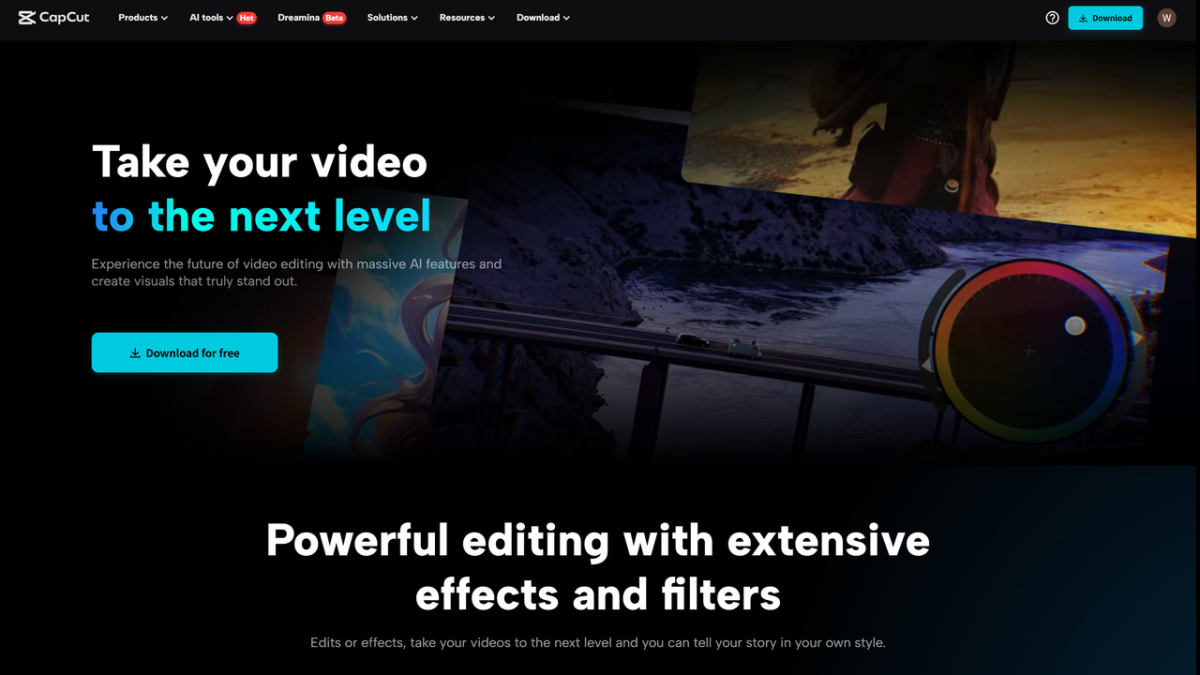
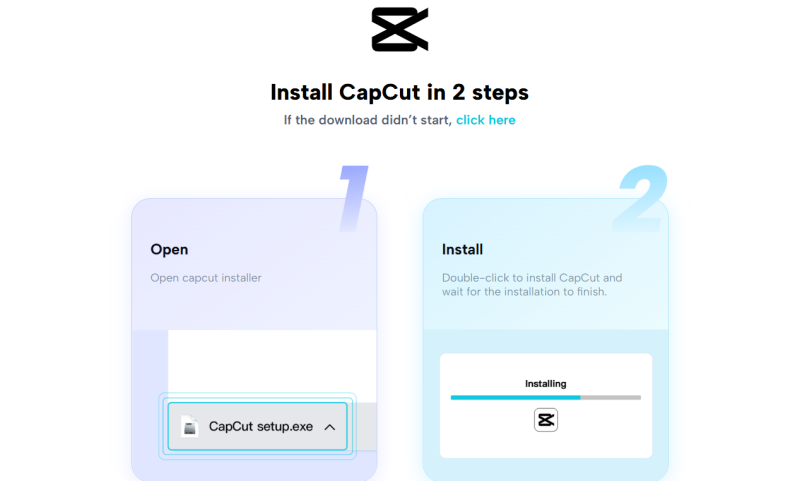
To begin with, download CapCut Desktop video editor from its official site. It’s the safest and most reliable method of installing the software.
The editor supports Linkhouse both Windows and macOS. The installation is simple and easy to navigate.
After installation, log in using your TikTok or CapCut account to access your workspace.
You can begin editing immediately, although some tools only become available with a paid plan. This unlocks more features and is useful if you wish to expand your services.
Paid features are effects, pro transitions, and intelligent features such as the AI video generator, which can accelerate your work and make your client videos more.
How to Provide Services Using CapCut Desktop Video Editor
Begin by choosing a niche, such as YouTube material, reels, ads, or tutorials, on which to concentrate. CapCut Desktop video editor provides templates and simple tools to accelerate your work without compromising on quality.
Maintain organization by annotating projects, establishing objectives, and saving documents in cloud files. Upon completion, export the video in the format your client prefers.
Include extra services such as background sounds or voiceover using features like text-to-voice. As the free software exports without marks, certain advanced features, such as the voice change, might need an upgrade, one that you may charge extra for.
Steps to Edit a Client’s Video on CapCut Desktop Video Editor
It is easy to edit a client’s video using CapCut Desktop video editor, but powerful enough to give you professional results. Follow these steps to achieve it:
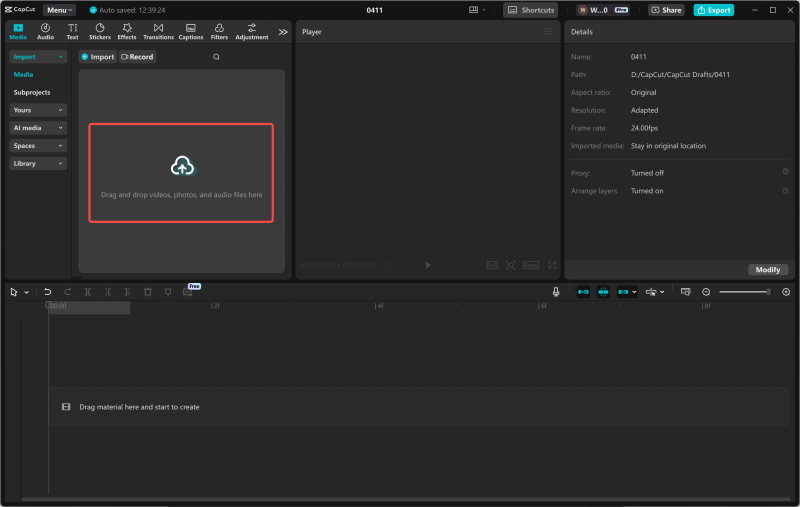
Step 1: Import Footage
First, import the client’s raw files into the timeline. You now have all the clips that you will need to work on.
Step 2: Trim and Cut Clips
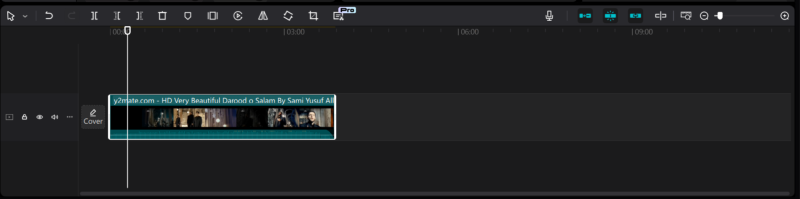
Begin by cutting the raw footage. Cut out the unwanted parts and retain only that which is pertinent. This will assist you in making a well-focused and captivating video.
Cut the lengthy clips into shorter portions using the cut tool to enable easy working with and fine-tuning the final video.
Step 3: Add Transitions and Text
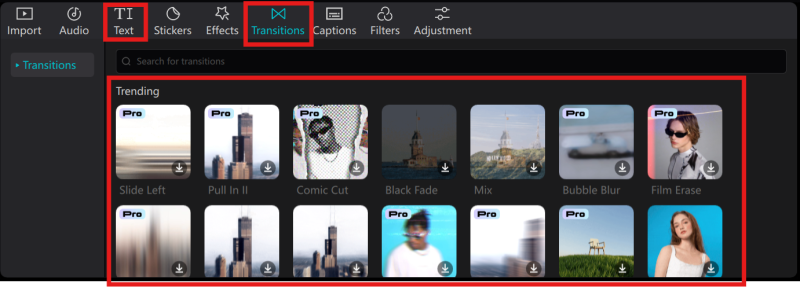
Secondly, click “Transitions” to incorporate smooth transitions between scenes to maintain a natural and professional flow. Insert text where required, such as titles, subtitles, or call-to-action text.
Select styles that reflect the tone of the video. For instance, utilize bold text for energized content or less intrusive styles for corporate videos.
Step 4: Sync Music and Apply Effects
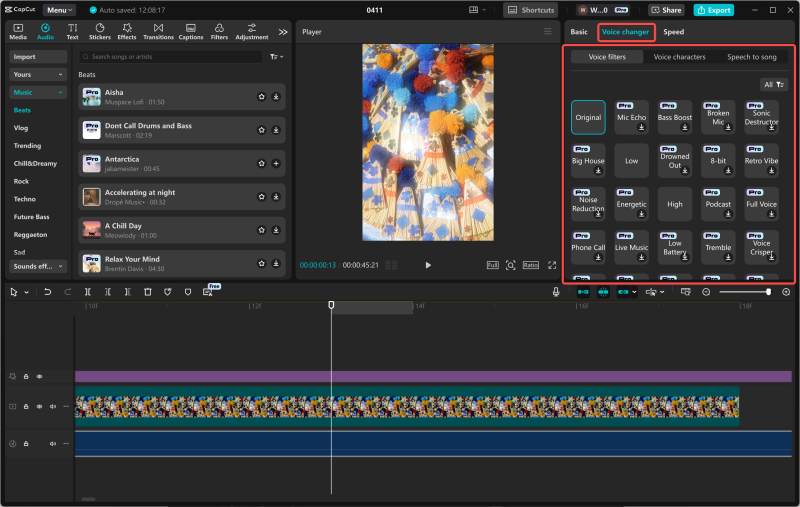
Then, sync background music to create the appropriate mood by using “Audio”. Ensure it accompanies the video but does not drown out the voiceover or central content.
Edit the volume levels and fade into or out music where appropriate. If the client needs a specific voice, apply the voice changer feature to achieve various character voices or change the tone to fit a particular branded tone.
Step 5: High-Quality Export
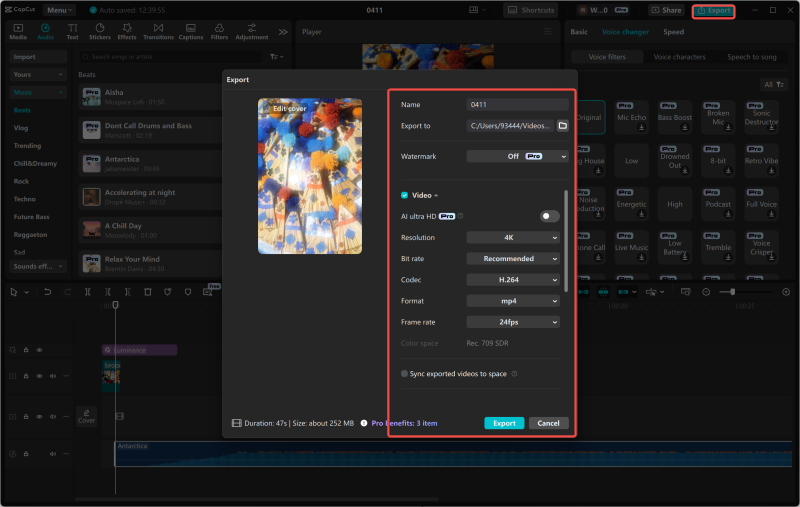
After you’re satisfied with the edit, export time. Select a high-definition format such as 1080p for clear, crisp images. CapCut desktop video editor lets you customize the resolution, frame rate, and file type Linkhouse
Ensure you select which will be most ideal for the platform your client will be using, i.e., MP4 for social media or MOV for professional websites.
You can then export and deliver the video via Google Drive, Dropbox, or WeTransfer. By offering these quality touches and using the CapCut desktop video editor’s features, you’ll impress clients and keep them coming back for more.
Conclusion
CapCut Desktop video editor is an excellent platform to begin building a freelance career in video editing. It has all the essentials you would require to edit videos professionally.
Though most of its features are available for free, some advanced tools need to be accessed on a paid plan. These paid features can prove to be worth their cost as your client demands increase.
Therefore, take the initiative today. Begin editing your very first client-approved video using the CapCut desktop video editor. Through practice and having the right equipment, you will be on your way to achieving a successful freelance career.
All images by CapCut
 Our newsletters emailed directly to you